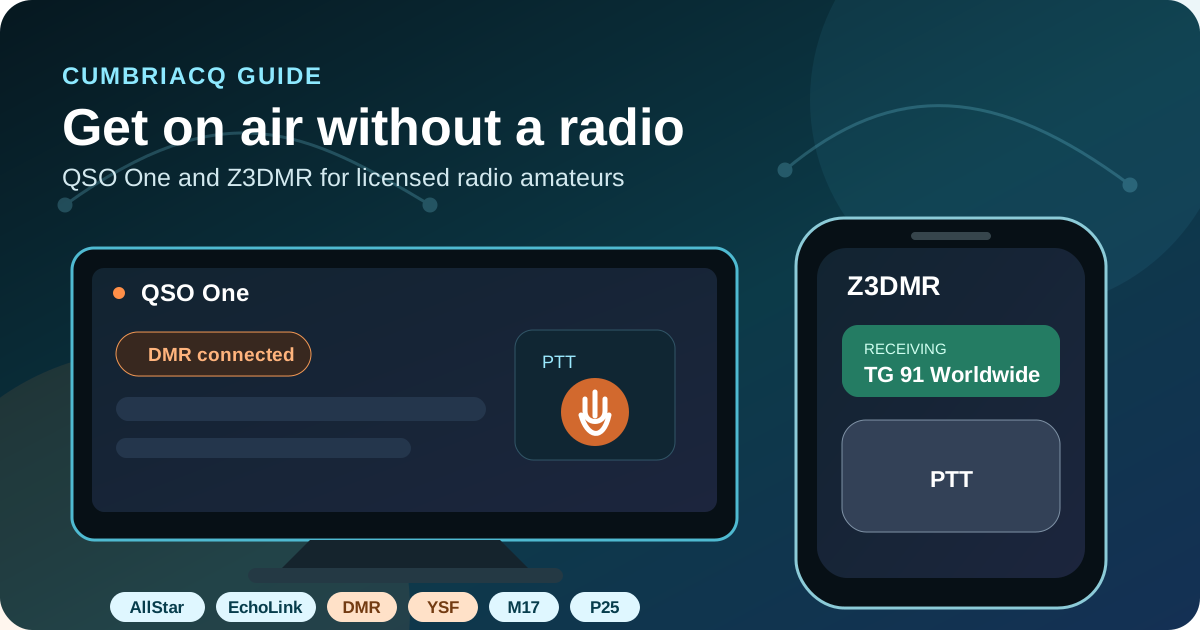
You can use amateur radio networks without owning a physical radio. QSO One and Z3DMR turn a supported phone or computer into an internet-connected push-to-talk client. They are useful for licensed amateurs who are travelling, cannot install an aerial, want to try a digital mode before buying hardware, or need an accessible way to join a net.
No radio does not mean no licence
These apps are designed for licensed amateur radio operators. To transmit, you need a valid callsign and must follow the rules and access requirements of every network you use. DMR normally also needs a personal DMR ID and network credentials. Your phone does not transmit RF, but a linked repeater or gateway may retransmit your audio over amateur frequencies.
QSO One or Z3DMR?
| Feature | QSO One | Z3DMR |
|---|---|---|
| Platforms now | Android 8+; Windows 10/11 64-bit | Android 7+ |
| Main purpose | One client for several amateur voice networks | DMR-focused internet transceiver |
| Networks/modes | AllStarLink, EchoLink, IAX Direct, DMR, YSF, M17 and P25 | DMR masters using Homebrew or Open DMR Terminal |
| Licence | Valid amateur radio licence and callsign | Valid amateur radio licence and callsign |
| DMR requirement | DMR ID and the chosen network's credentials for DMR use | Seven-digit DMR ID and the chosen network's credentials |
| Cost | Free; optional supporter contributions | Free; official site says no ads or in-app purchases |
| Best for | Operators wanting several networks in one app | Android users wanting a detailed DMR-only interface |
QSO One: AllStar, EchoLink, DMR, YSF, M17 and P25
What it does
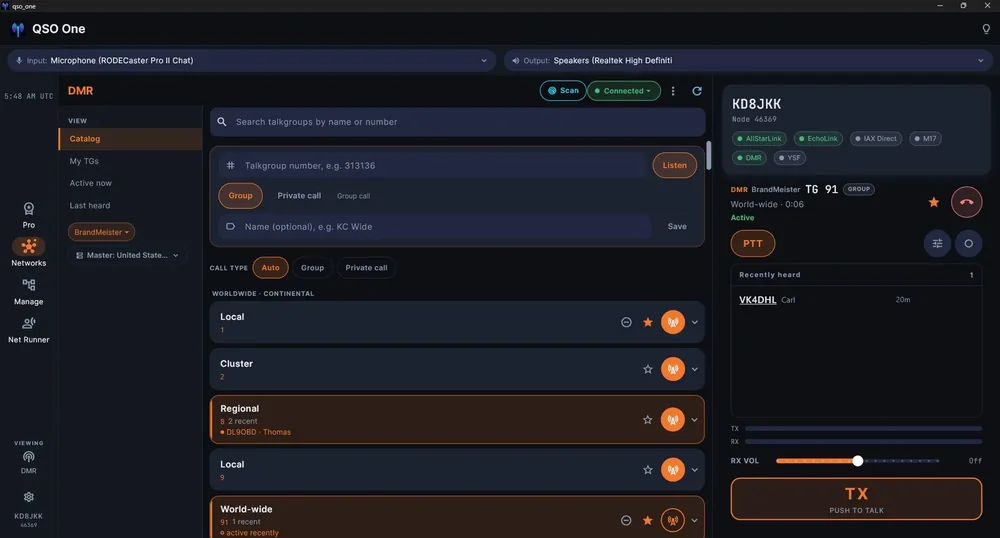
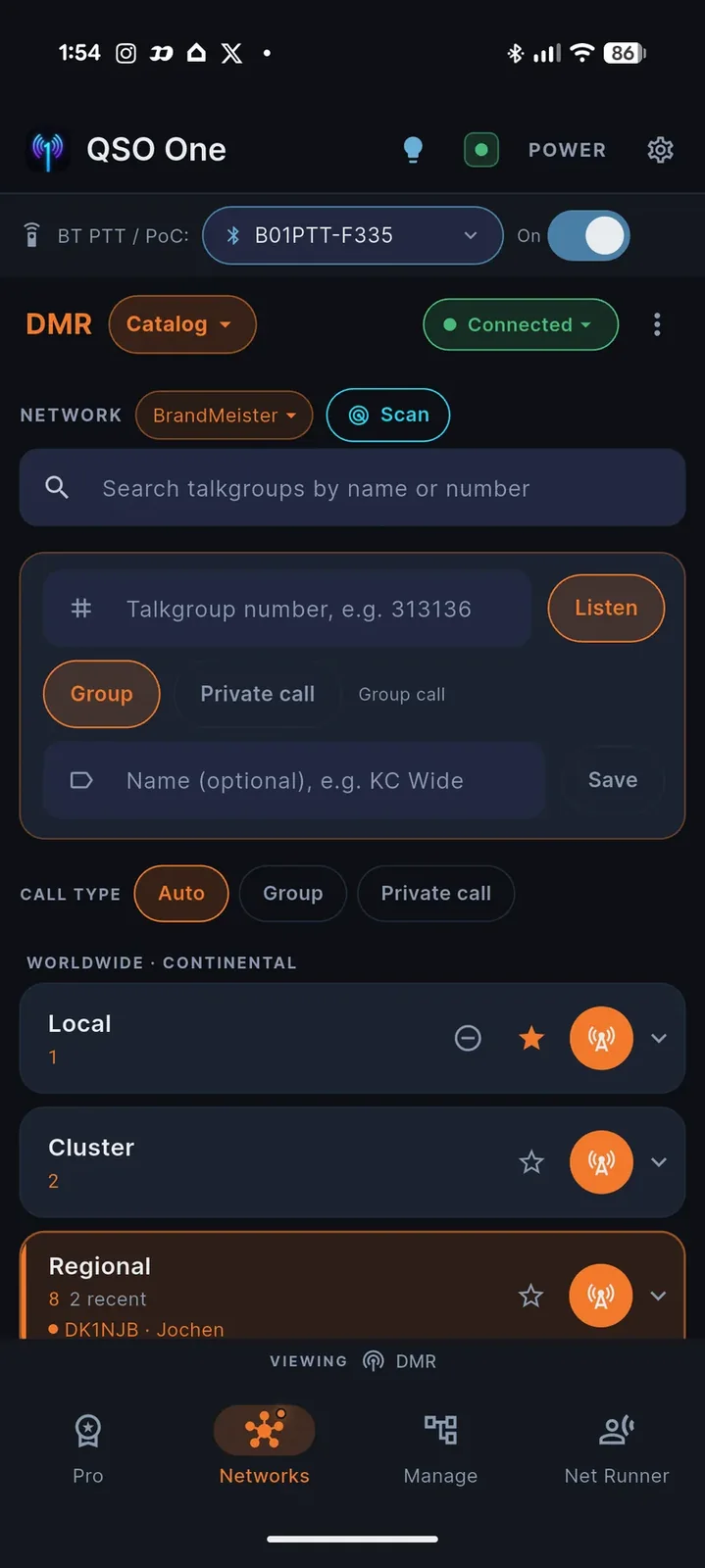
QSO One is a modern software client built by KD8JKK. It combines several amateur radio internet networks in one interface and provides on-screen, keyboard or compatible Bluetooth push-to-talk.
It can connect through AllStarLink Node or Web Transceiver modes, operator-issued IAX Direct credentials, EchoLink, several DMR networks, YSF reflectors, M17 reflectors/modules and P25 talkgroups.
What you need
- A valid amateur radio licence and callsign.
- A free QSO One account using your email address and callsign.
- Android 8 or later, or 64-bit Windows 10/11.
- A microphone, speaker or headset and a reliable internet connection.
- Separate network accounts where required—for example EchoLink validation, AllStarLink credentials or a DMR ID.
Current platform availability
QSO One is available now for Android and Windows. Its official download page lists iOS, macOS and Linux as coming soon, so do not rely on those versions until the developer publishes them.
How to get started with QSO One
- Confirm your licence and callsign. The official service requires a valid amateur radio callsign to operate.
- Create a free QSO One account. Register at the official site using your email address and callsign.
- Install the app. Use Google Play for Android or the Microsoft Store for Windows. Direct APK and Windows downloads are available after signing in.
- Choose a network. Select AllStarLink, EchoLink, IAX Direct, DMR, System Fusion/YSF, M17 or P25.
- Add that network's details. Requirements differ: EchoLink needs a validated EchoLink account; DMR needs your DMR ID and network access; IAX Direct needs credentials from the node operator.
- Check audio before transmitting. Select the correct microphone and speaker, use headphones if possible, listen first, identify with your callsign and keep the first over short.
Privacy tip: network passwords are credentials. Do not post them in screenshots, forums or support messages. QSO One's credential syncing is optional; read the official privacy page before enabling it.
Z3DMR: a software DMR transceiver on Android
What it does
Z3DMR is produced by Radio Amateur Club Z37CPR. It connects directly to compatible DMR master servers using the Homebrew repeater protocol or Open DMR Terminal (ODTP). It provides group and private calls, talkgroup directories, profiles, favourites, activity, hardware/Bluetooth PTT support and optional APRS features.
The app uses an on-device MD-380 AMBE vocoder. The required firmware is downloaded once when first needed.
What you need
- A valid amateur radio licence and callsign.
- A personal seven-digit DMR ID registered to your callsign.
- Android 7.0 or newer and an internet connection.
- Authorised access to a compatible DMR master.
- The master or hotspot security password required by that network.
- Microphone permission; notifications are used for status and incoming calls.
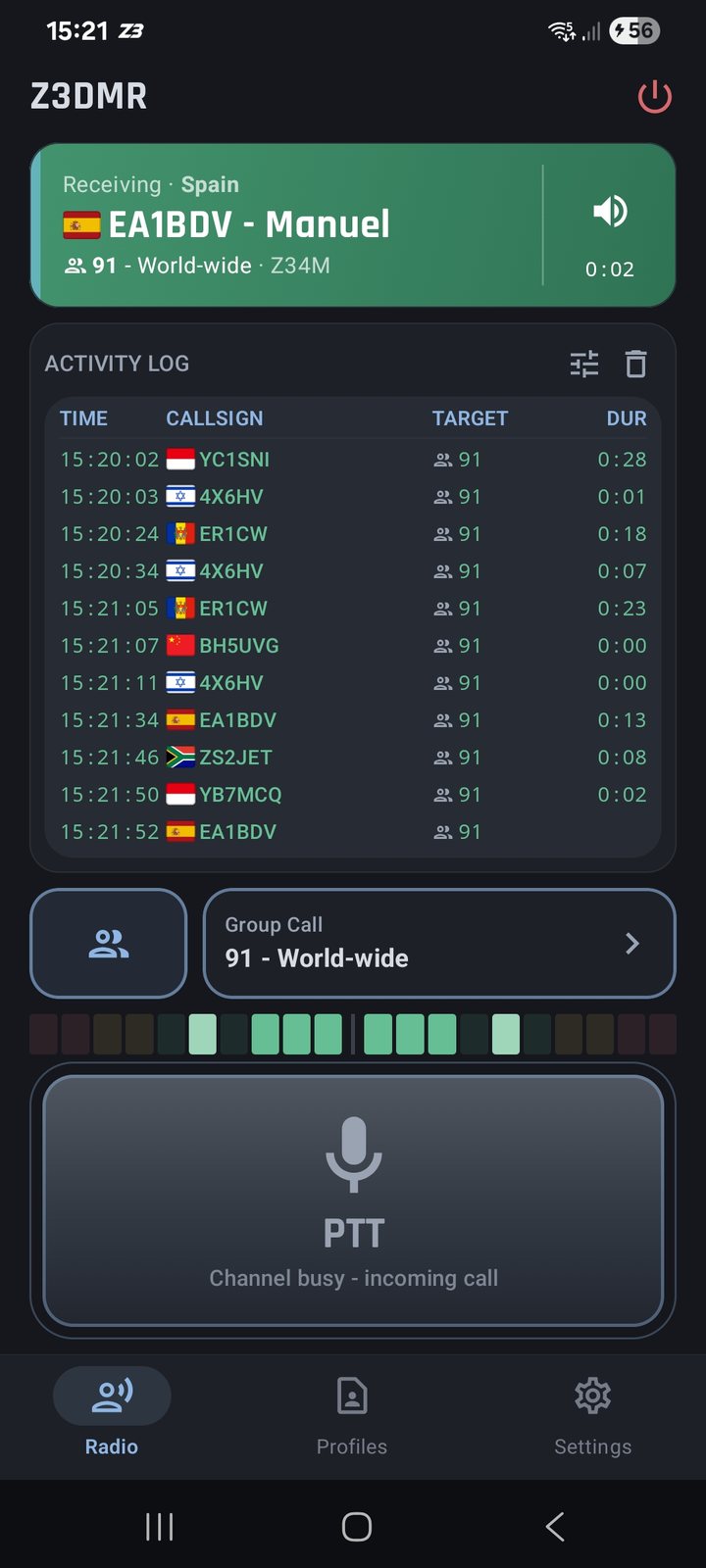
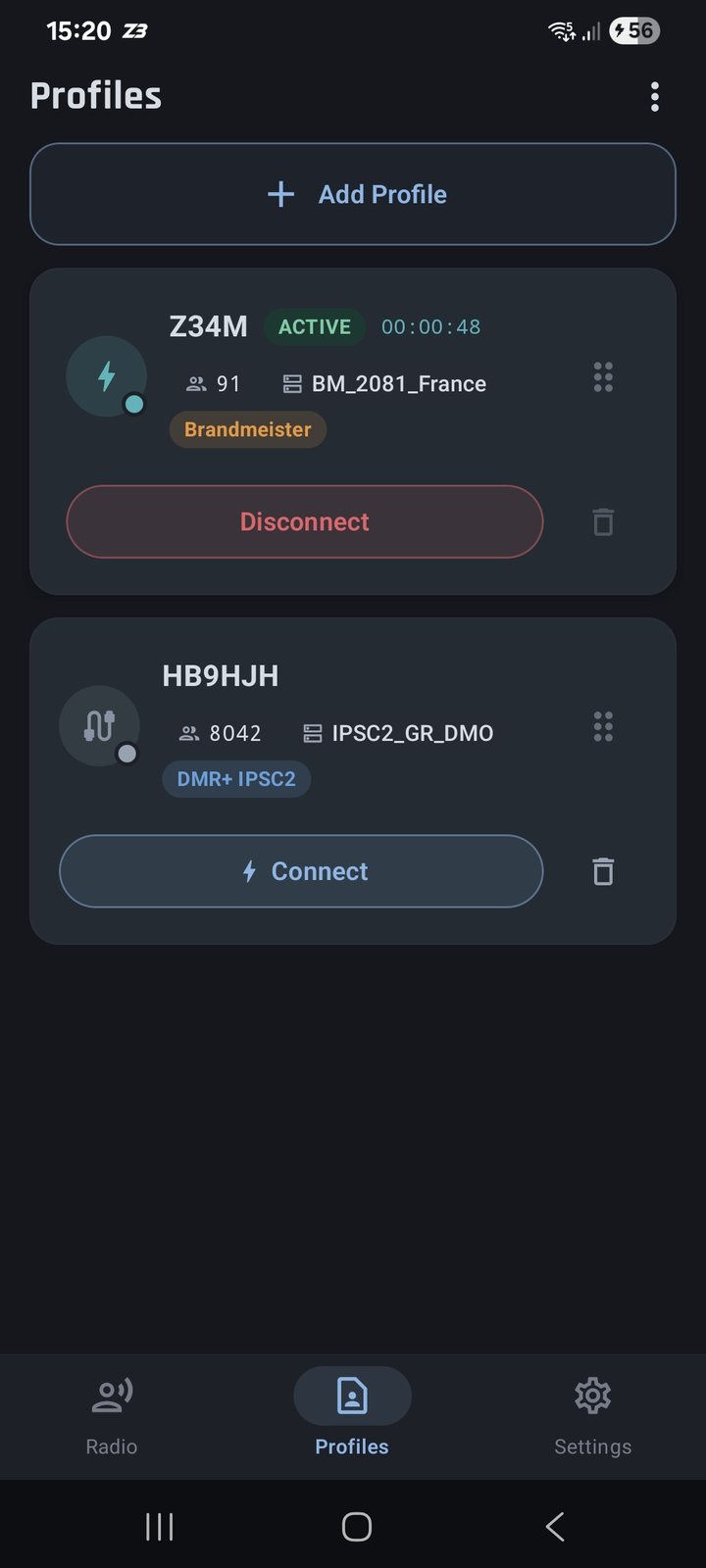
How to get started with Z3DMR
- Obtain your DMR ID. Register through RadioID using your licensed callsign if you do not already have a seven-digit personal ID.
- Install Z3DMR. Google Play is the simplest route. The developer also provides an official APK archive for manual installation.
- Allow the required permissions. Microphone access is needed for transmit audio. Optional features request their own permissions when enabled.
- Download/test the vocoder firmware. Let the app fetch the MD-380 vocoder component when first required, then use its firmware self-test if needed.
- Create a profile. Enter a profile name, your callsign, DMR ID and an ESSID where the selected protocol requires one.
- Choose the master and enter its password. Pick a server from the app directory or add an authorised custom Homebrew/ODTP server. Use the password issued or configured for that network.
- Select a talkgroup, connect and listen first. Check that the channel is clear before PTT. Use a time-out timer and avoid long overs.
BrandMeister users: use the personal hotspot security password from BrandMeister SelfCare—not your SelfCare login password. Other networks may use different authentication, so follow their own instructions.
Using QSO One or Z3DMR with CumbriaCQ
CumbriaCQ links analogue and digital amateur radio systems, but app access still depends on the protocol and the current network directory. There is no universal password and no app bypasses the normal licence, identity or access checks.
QSO One
QSO One supports several technologies used around CumbriaCQ, including AllStarLink, EchoLink, DMR and YSF reflectors. Search the app's current directory for the node, reflector or talkgroup you want. If an entry is not listed, do not guess hostnames or credentials—use the official CumbriaCQ pages or ask for the correct route.
Z3DMR
Z3DMR can add a compatible custom DMR master, but direct access is controlled by the master operator. Use only a server address and credentials specifically issued for your DMR ID. CumbriaCQ does not publish a generic master password.
Which amateur radio app should I choose?
Choose QSO One if…
- You want AllStar, EchoLink, DMR, YSF, M17 and P25 in one app.
- You use Windows as well as Android.
- You want a simpler route across several network types.
Choose Z3DMR if…
- You mainly want DMR on an Android device.
- You want detailed DMR profiles, talkgroups, private calls and activity.
- You need Homebrew or ODTP support and understand the master credentials.
There is no harm in installing both. Start with receive/listen time, check network rules, set sensible audio levels and make a short, clearly identified first call.
Ham radio app FAQ
Can I use a ham radio app without an amateur radio licence?
Not for transmitting on the amateur networks covered here. QSO One and Z3DMR are intended for licensed amateur radio operators. You need a valid callsign and must follow each network's rules.
Can I use DMR without a radio or hotspot?
Yes. Both apps can encode and decode DMR audio in software and connect over the internet. You still need a registered DMR ID and authorised network access.
Is QSO One available for iPhone?
Not yet. It is currently available for Android and 64-bit Windows 10/11. The official download page lists iOS, macOS and Linux as coming soon.
Is Z3DMR available for iPhone or Windows?
No. Z3DMR is currently an Android app. Its official documentation requires Android 7.0 or newer.
Does my phone transmit an amateur radio signal?
No. The app sends audio and signalling over the internet. A connected repeater, gateway or reflector may retransmit it over RF, so normal amateur operating standards still apply.
Do these apps replace emergency communications?
No. They depend on a working phone/computer, power and internet connection. They are hobby-radio clients, not a substitute for 999, 112 or resilient RF equipment.
Official sources and accuracy
- QSO One: official features
- QSO One: official downloads and system requirements
- QSO One: privacy policy
- Z3DMR: official website
- Z3DMR: official setup and operating documentation
- RadioID: DMR ID registration
QSO One and Z3DMR names and interface screenshots belong to their respective developers. Screenshots are reproduced here to identify and explain the apps; CumbriaCQ is independent and is not affiliated with either developer.
Accuracy note: platforms, network support and app requirements can change. This guide was checked against the official sources above on 1 November 2026. Always confirm the latest details on the developer's own site and comply with your licence and network rules.